
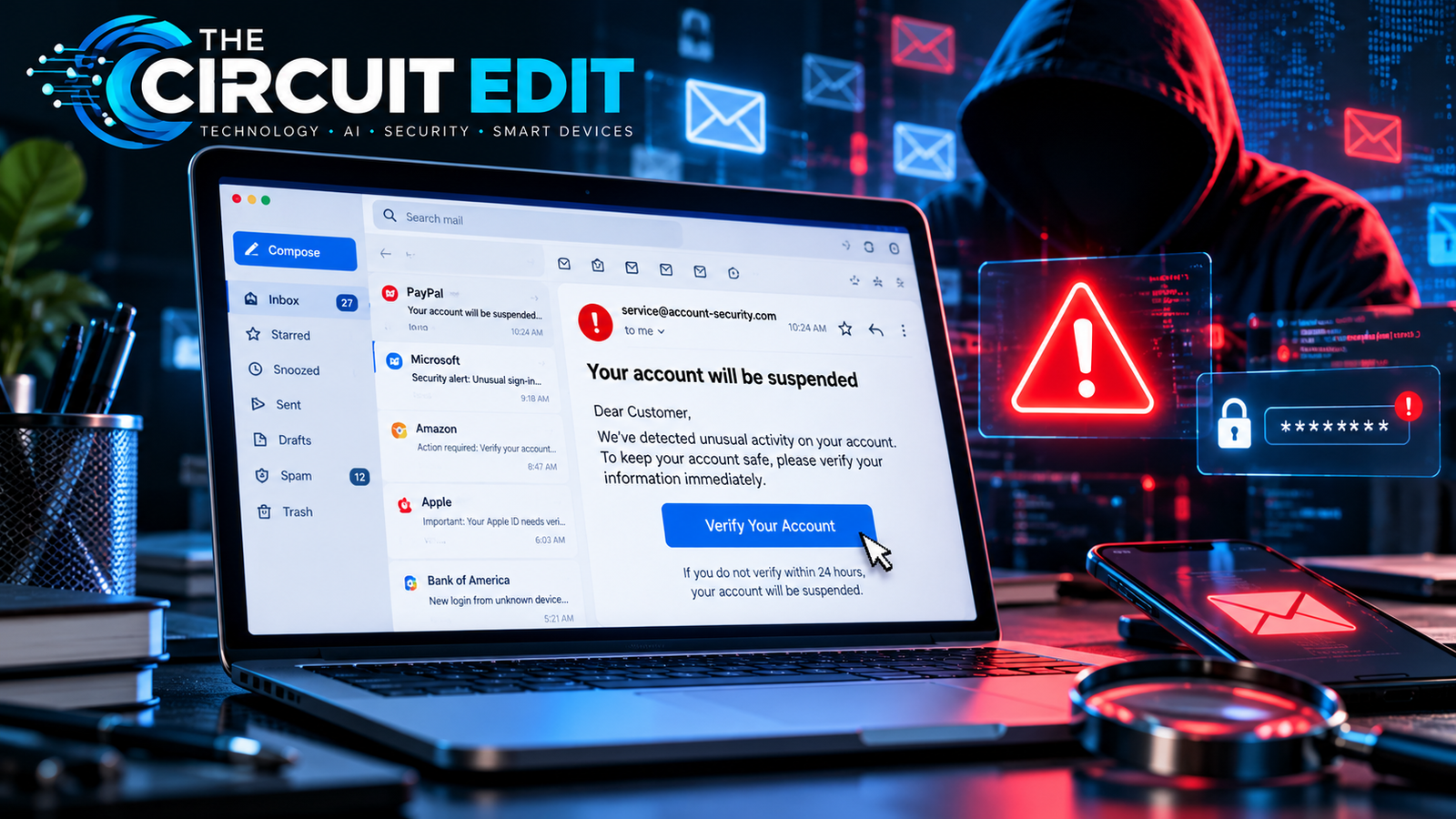
Phishing emails can look ordinary: a missed package, an overdue bill, a shared document, or a message that appears to come from your manager. The writing may be polished, the logo familiar, and the request seemingly routine. But the real purpose may be to steal passwords, payment information, or access to your accounts.
This guide examines 15 realistic phishing email examples, including banking alerts, delivery scams, school portal warnings, fake invoices, workplace impersonation, and AI-assisted fraud. Every scenario is a fictional educational reconstruction, not a genuine intercepted email.
The most important rule: Never use a suspicious email as your only source of verification. Open the official app, visit a trusted website independently, or call a number you already know is genuine.
Phishing and Online Fraud: Verified 2025 Figures
Phishing is part of a wider online-fraud problem, but different agencies measure different kinds of incidents. These figures come directly from official 2025 reporting and should not be added together.
How to read these numbers: FBI IC3 complaints represent a broad U.S. reporting category; CAFC phishing reports count reports in Canada; and CAFC spear-phishing losses measure money reported lost in a more targeted fraud category. All are reported figures, not the total number of attacks or victims.
15 Phishing Email Examples: How to Recognize the Scam
Editorial note: All email messages below are simulated for educational purposes. Names, addresses, and suspicious requests are fictional. They illustrate common fraud techniques rather than verified incidents involving specific companies.
We drafted 15 fictional, nonfunctional email scenarios based on recurring patterns described in consumer-protection and cybersecurity guidance. For each illustration, we identified the request being made, the pressure or impersonation tactic, the information at risk, and one verification step readers can perform without trusting the email. We then matched the explanatory text to each illustration.
These examples are educational reconstructions, not original attack samples, live tests, intercepted emails, or evidence of a specific company’s compromise. The illustrations contain no working phishing links. We did not independently measure the success rate of any tactic.
1. Fake Bank Account Suspension Email
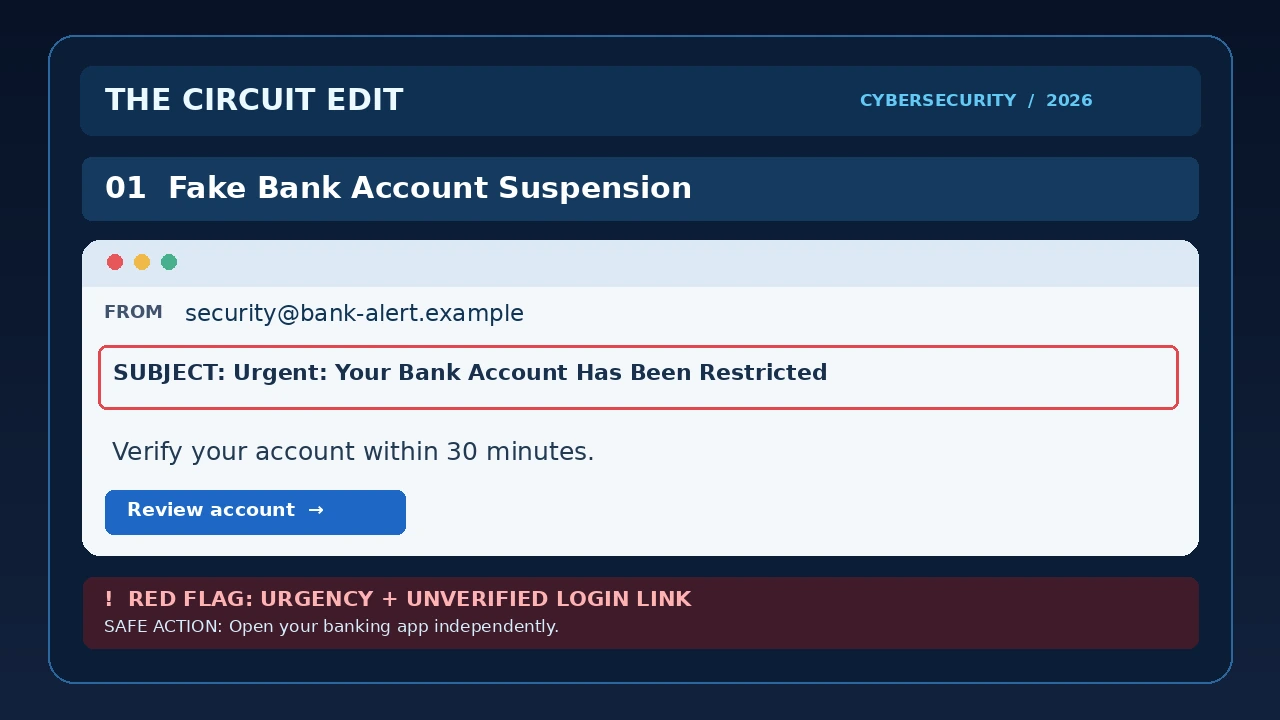
Read the simulated email text
Subject: Urgent: Your Bank Account Has Been Restricted
From: Account Security <security@bank-alert.example>
Dear Customer,
We detected unusual activity on your account. Your online banking access will be suspended unless you verify your information within 30 minutes.
Verify Your Account Now
Security Department
Warning signs: The message creates urgency, threatens account suspension, uses a generic greeting, and directs the recipient toward an unverified login process.
Why it works: People may react quickly when they believe their money is at risk.
What to do: Open your banking app independently. Check for genuine security notifications or contact the bank using the number printed on your card.
2. Fake Package Delivery Fee

Read the simulated email text
Subject: Delivery Attempt Failed — Action Required
From: Parcel Support <delivery@parcel-notice.example>
Your package could not be delivered because a small processing fee remains unpaid.
Pay $2.95 to arrange your next delivery attempt.
Update Delivery
Warning signs: Unexpected payment requests, vague tracking information, and pressure to use an email link.
Why it works: Many people regularly order products online and may assume the message relates to a real purchase.
What to do: Check the tracking number through the delivery company’s official website or app.
3. Microsoft 365 Password Expiration Scam
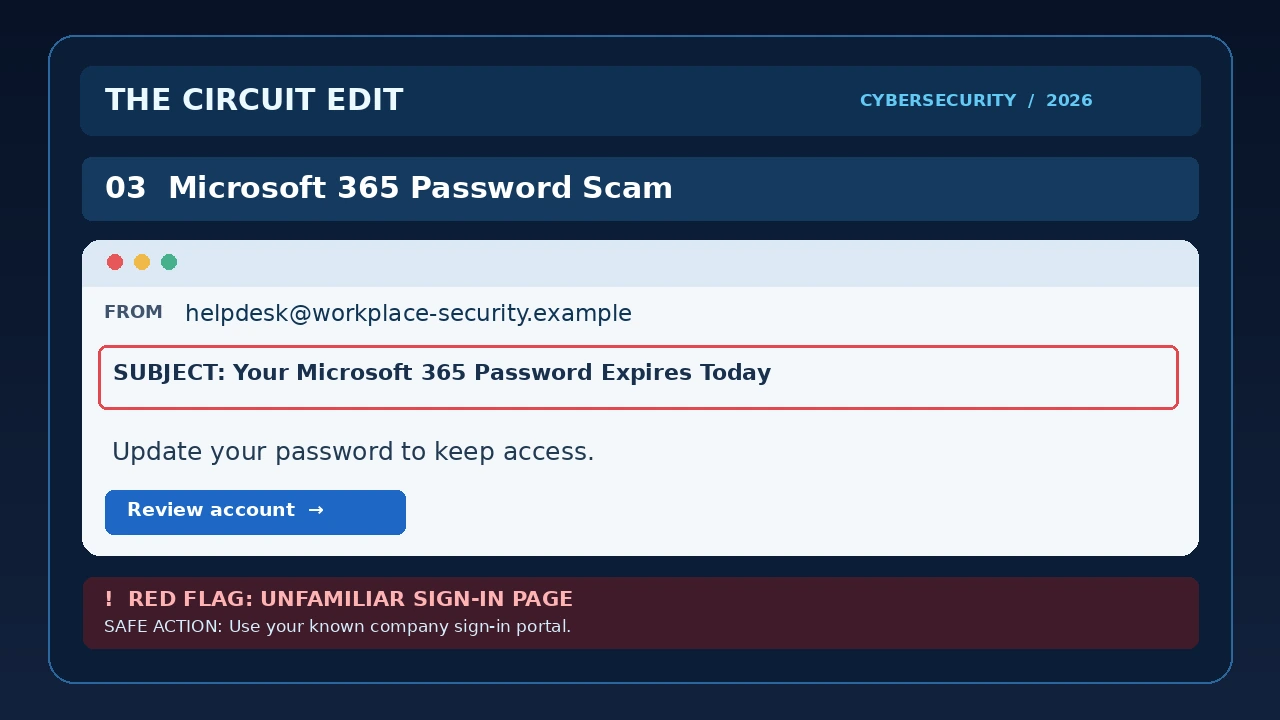
Read the simulated email text
Subject: Your Microsoft 365 Password Expires Today
From: IT Support <helpdesk@workplace-security.example>
Your company email password expires today.
To avoid losing access to Outlook and Teams, complete your password update immediately.
Update Password
Warning signs: A password-reset demand that directs users to an unfamiliar sign-in page.
Why it works: Employees are accustomed to legitimate security notifications.
What to do: Use your organization’s known Microsoft 365 sign-in route or contact internal IT support.
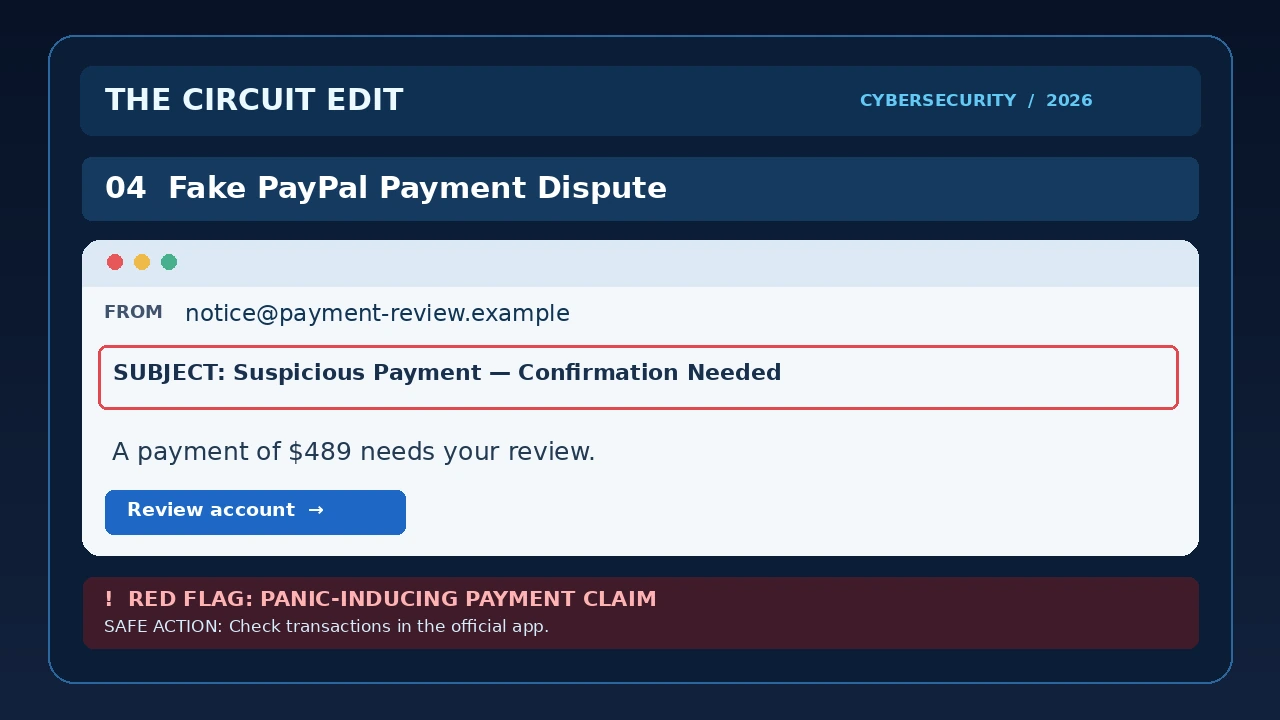
4. Fake Payment Dispute
Read the simulated email text
Subject: Suspicious Payment — Confirmation Needed
From: Payment Review <notice@payment-review.example>
A payment of $489.00 was initiated from your account.
If you did not authorize this transaction, review it immediately.
Dispute Transaction
Warning signs: An alarming payment claim paired with an unexpected sign-in link.
Why it works: Fear of financial loss can override normal caution.
What to do: Open the payment service directly and inspect your transaction history.
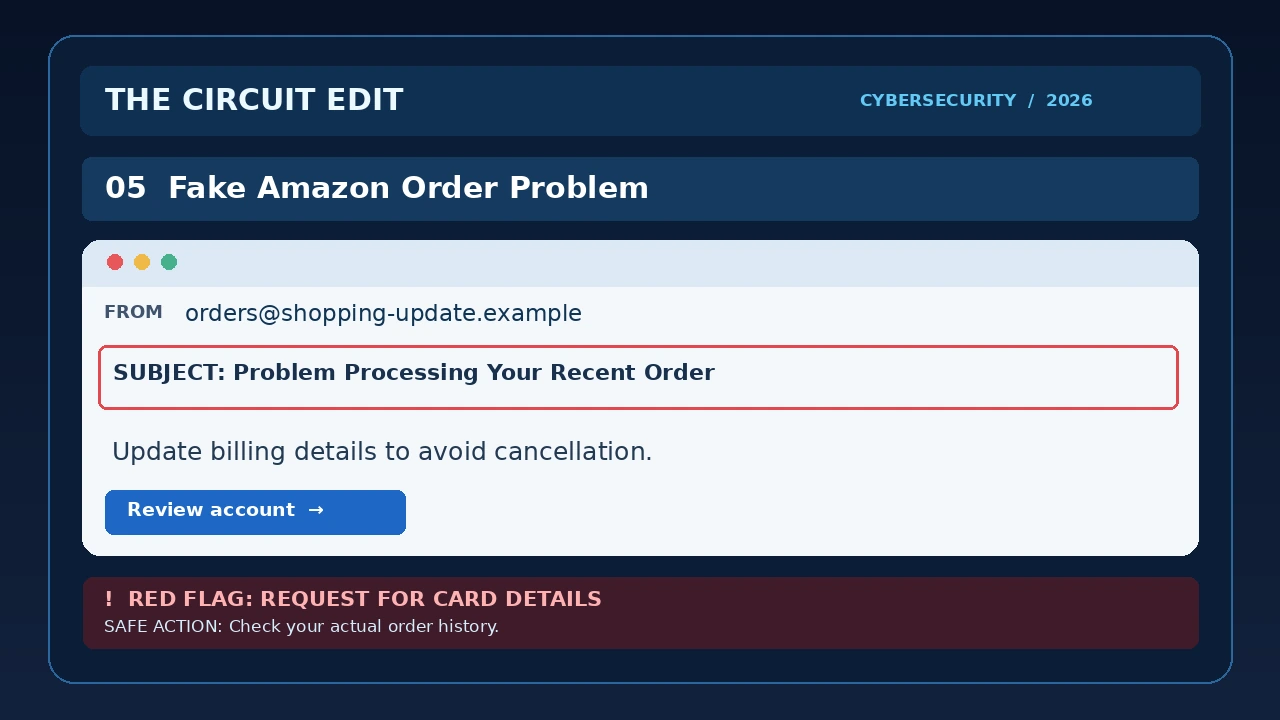
5. Fake Online Shopping Order Problem
Read the simulated email text
Subject: Problem Processing Your Recent Order
From: Order Department <orders@shopping-update.example>
We were unable to process the payment for your recent order.
Please update your billing information within 24 hours to avoid cancellation.
Update Billing Details
Warning signs: An unexpected request for payment information without a verifiable order reference.
Why it works: A familiar shopping problem can make a billing update seem routine, particularly when the message implies an order will be cancelled.
What to do: Open the retailer’s official website or app and inspect your order history.
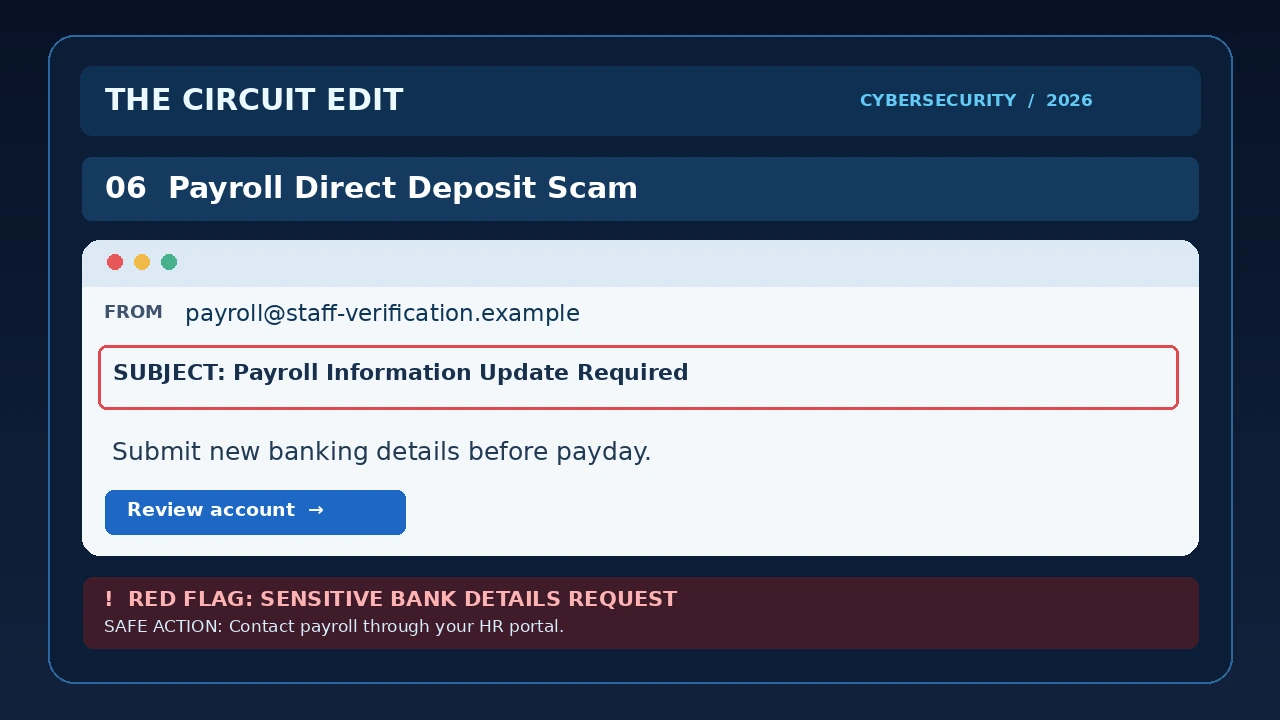
6. Payroll Direct Deposit Scam
Read the simulated email text
Subject: Payroll Information Update Required
From: Human Resources <payroll@staff-verification.example>
Our payroll system requires updated direct-deposit information.
Please submit your banking details before the next payment cycle.
Verify Payroll Account
Warning signs: A request for sensitive banking information through an unexpected email.
Why it works: Employees want to avoid delays in receiving their wages.
What to do: Contact payroll through your company’s established internal system.
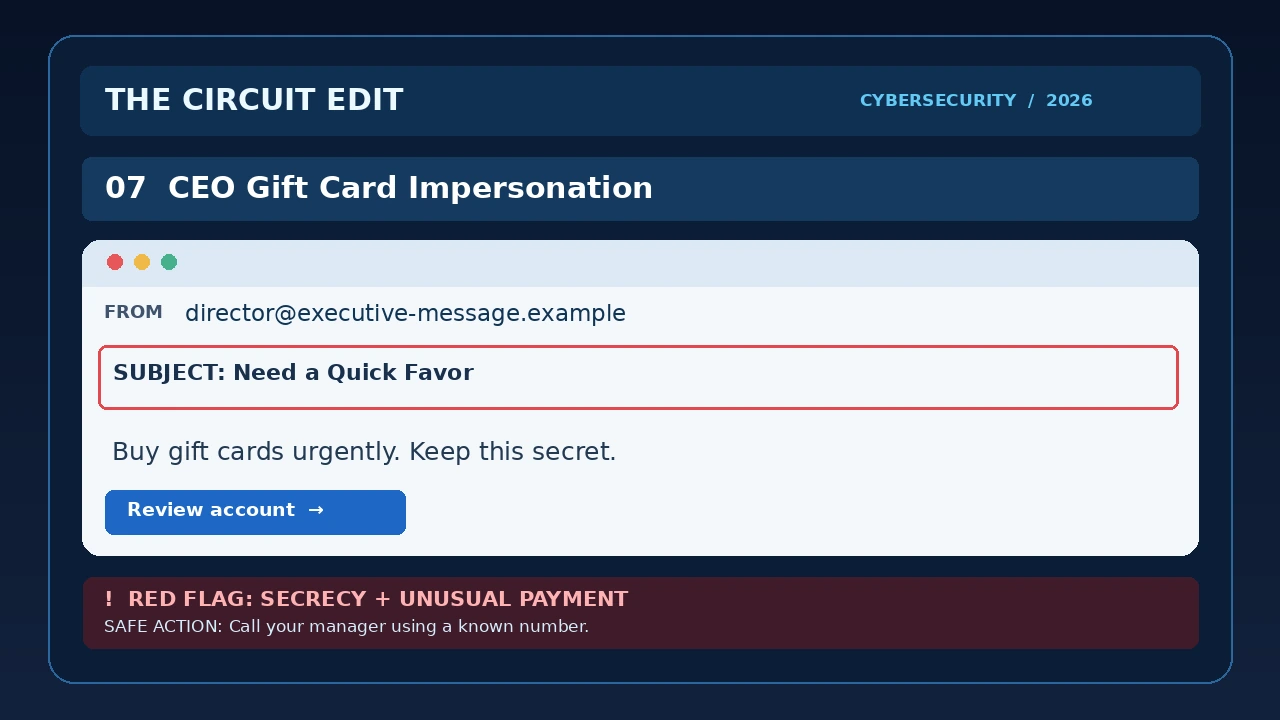
7. CEO Gift Card Impersonation
Read the simulated email text
Subject: Need a Quick Favor
From: Executive Office <director@executive-message.example>
I’m in a meeting and need you to handle something urgently.
Please purchase several gift cards and send me the codes. Keep this confidential until I call you.
Thanks.
Warning signs: Secrecy, urgency, unusual payment methods, and an apparent authority figure.
Why it works: Employees may act quickly on instructions apparently sent by someone senior, especially when the message insists on secrecy.
What to do: Verify the request through a known phone number or internal communication channel.
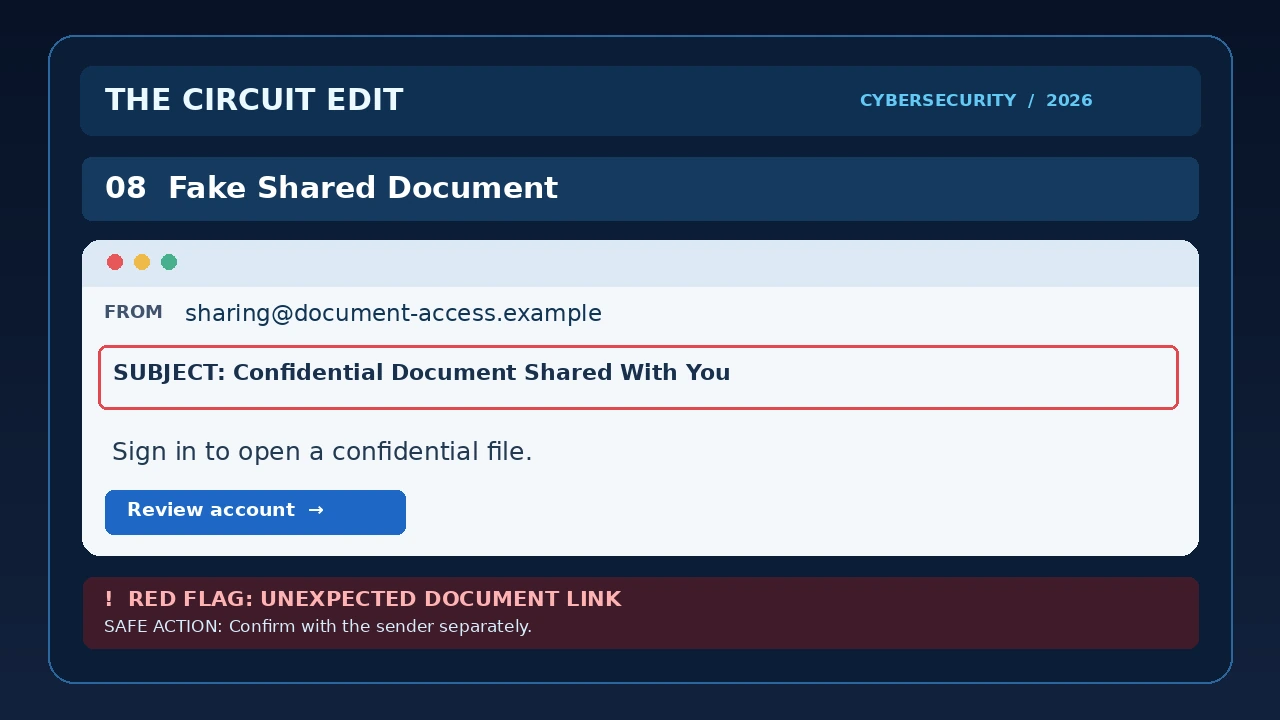
8. Fake Shared Document Notification
Read the simulated email text
Subject: Confidential Document Shared With You
From: Document Notifications <sharing@document-notice.example>
A confidential file has been shared with your account.
Please sign in to review the document before access expires.
View Shared Document
Warning signs: An unexpected document, unclear sender identity, and a sign-in request through an unfamiliar link.
Why it works: Shared files are normal in work and school, so an unexpected invitation can blend into everyday notifications.
What to do: Ask the supposed sender directly whether they shared the document. Open your document service independently.
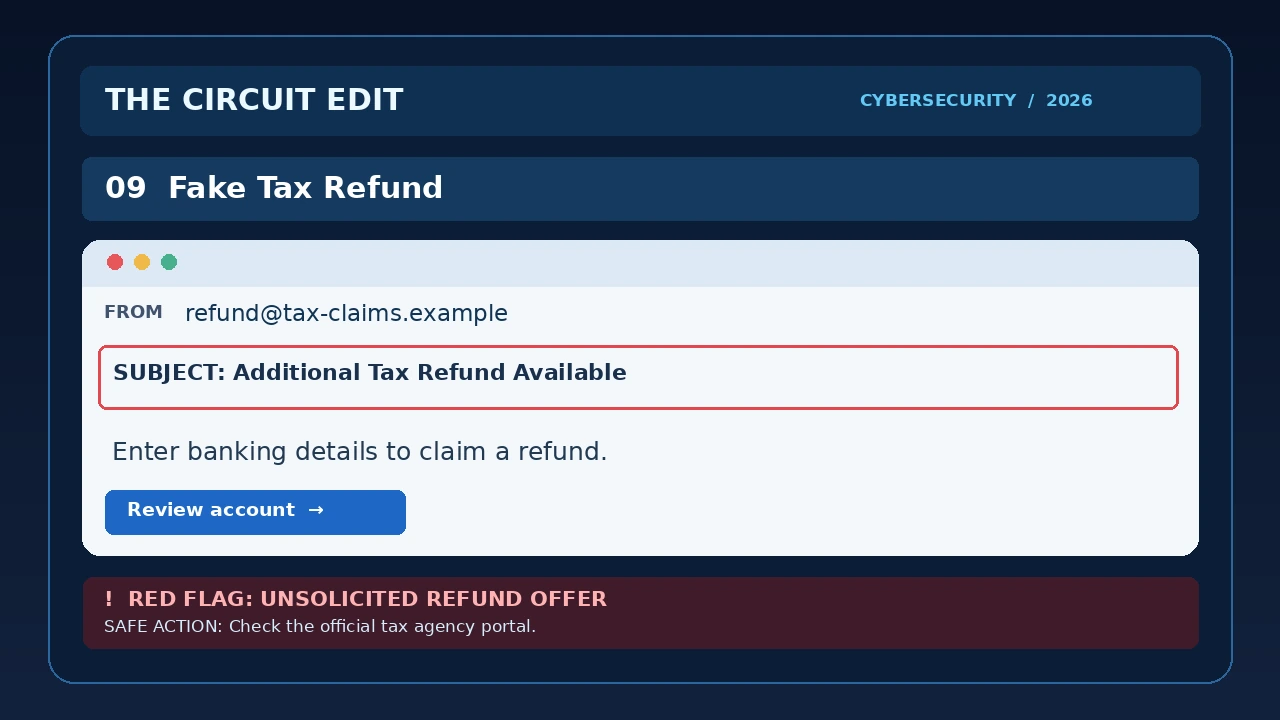
9. Fake Tax Refund Notification
Read the simulated email text
Subject: Your Tax Refund Is Ready
From: Refund Processing <refund@tax-notification.example>
You qualify for an additional tax refund.
Confirm your banking details to receive the payment within 48 hours.
Claim Your Refund
Warning signs: An unexpected refund offer and a request to submit financial details.
Why it works: A promised refund rewards quick action, while official-sounding language can make the request seem credible.
What to do: Check your tax account using the official government website. Never trust an email link simply because it uses government terminology.
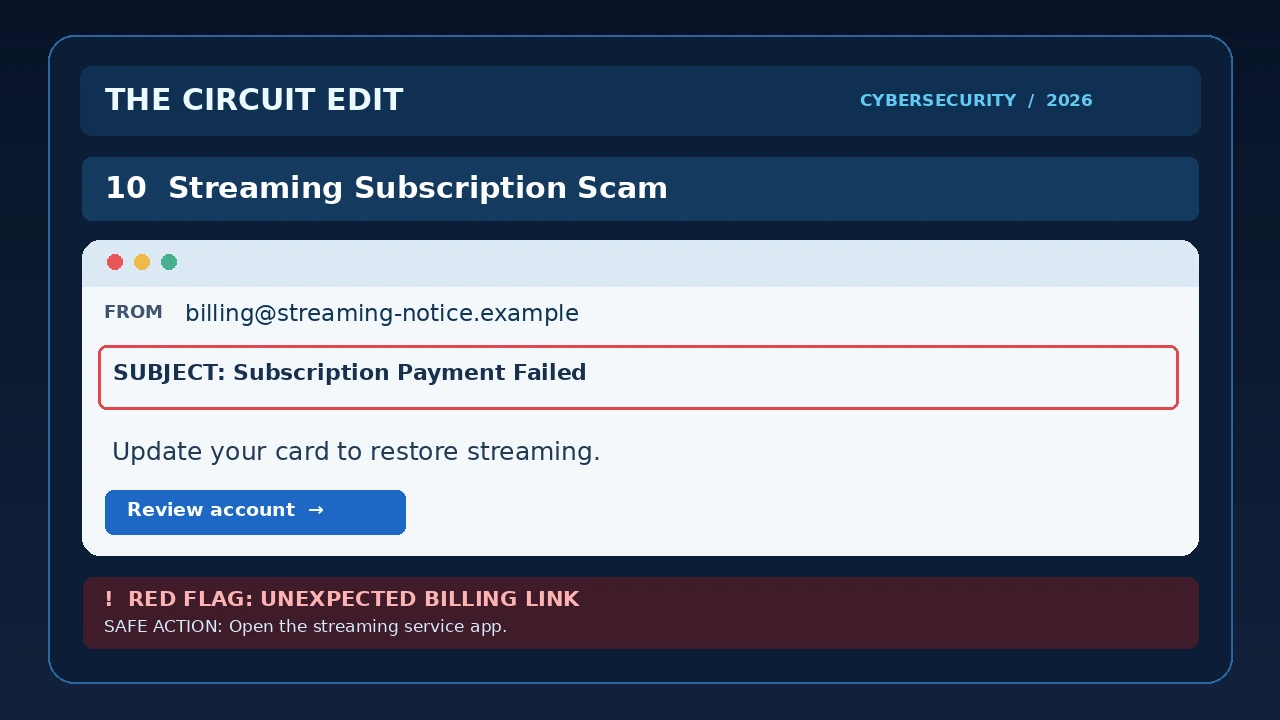
10. Fake Streaming Subscription Renewal
Read the simulated email text
Subject: Subscription Payment Failed
From: Subscription Billing <billing@streaming-notice.example>
We could not process your monthly subscription payment.
Your service will be interrupted unless your payment details are updated today.
Restore Subscription
Warning signs: A threat of service interruption combined with an unfamiliar billing link.
Why it works: People often receive genuine subscription billing alerts and may be eager to avoid losing access to a service.
What to do: Sign in through the streaming service’s official app or website to check your billing status.
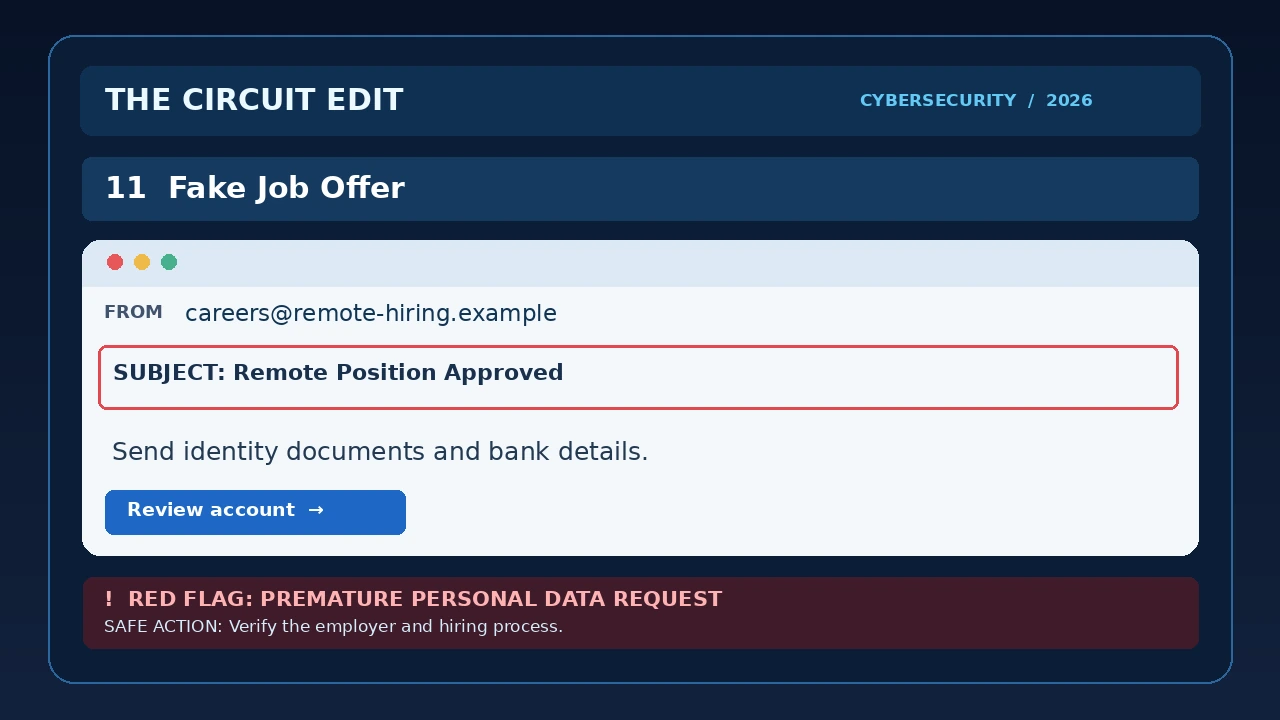
11. Fake Job Offer and Recruitment Scam
Read the simulated email text
Subject: Remote Position Approved — Next Steps
From: Recruitment Office <careers@remote-hiring.example>
Hello,
Your application has been approved for our remote position. Please submit a copy of your ID and your bank details to complete onboarding before your first day.
Complete Employee Verification
Recruitment Team
Warning signs: A job approval that is difficult to verify, followed by an unexpected request for identity documents and banking details. The illustration highlights that premature request.
Why it works: Job seekers may be eager to secure an offer and may treat onboarding requests as routine.
What to do: Find the employer’s official careers site independently, confirm the role and recruiter, and avoid submitting sensitive documents or financial details until the employer and process have been verified. An upfront payment to obtain a job is an additional serious warning sign.
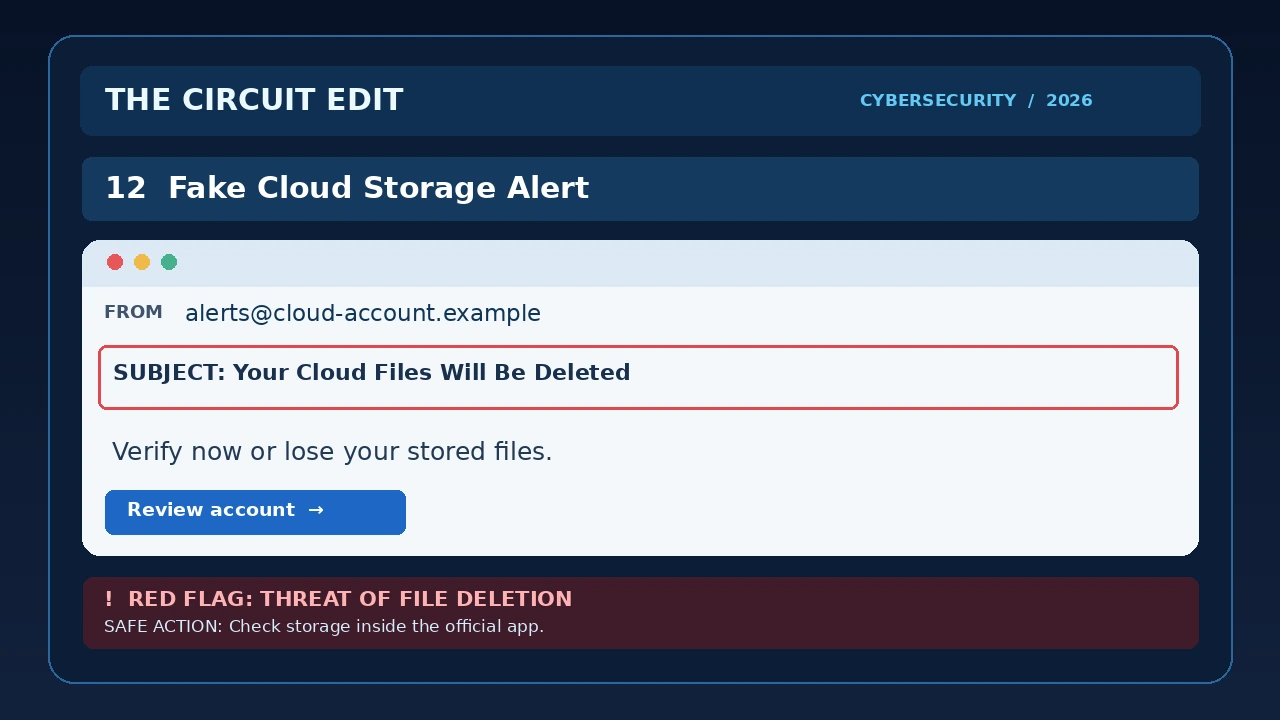
12. Fake Cloud Storage Deletion Warning
Read the simulated email text
Subject: Your Cloud Files Will Be Deleted
From: Cloud Storage Support <alerts@cloud-files.example>
Your cloud storage account requires immediate verification. Your stored files may be deleted unless you confirm your account information today.
Review Account
Warning signs: The email threatens the loss of personal files and asks you to follow an unverified account link.
Why it works: Photos, documents, and backups can be difficult to replace, making deletion warnings especially alarming.
What to do: Open your cloud storage service directly using its official app or a saved bookmark. Check storage notices there instead of using the email link.
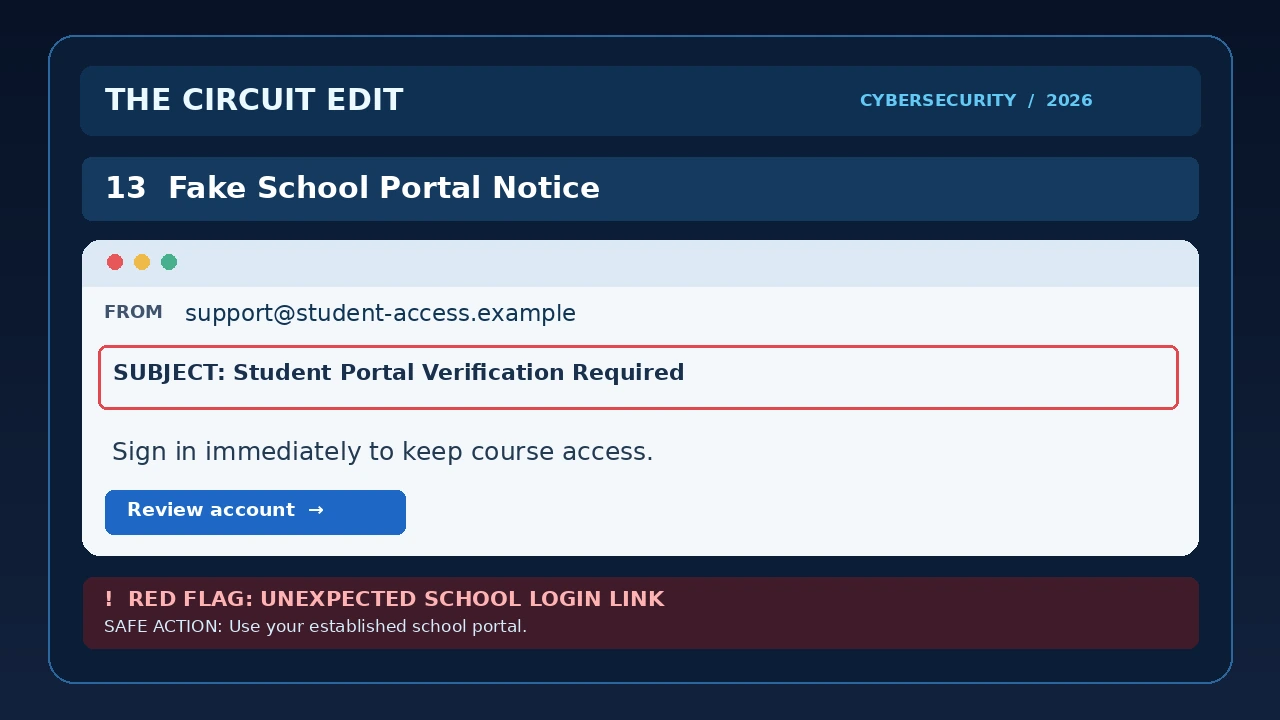
13. Fake School Portal Login Notice
Read the simulated email text
Subject: Student Portal Verification Required
From: Student Access Team <support@student-access.example>
Your student portal account must be verified to keep access to your courses and assignments.
Sign in immediately to avoid losing access.
Restore Account
Warning signs: An unexpected school account warning, pressure to act immediately, and a login link that may not lead to the real institution.
Why it works: Students may fear missing classes, assignments, or important school messages.
What to do: Open the school’s official learning portal independently or contact its IT help desk through a known channel.
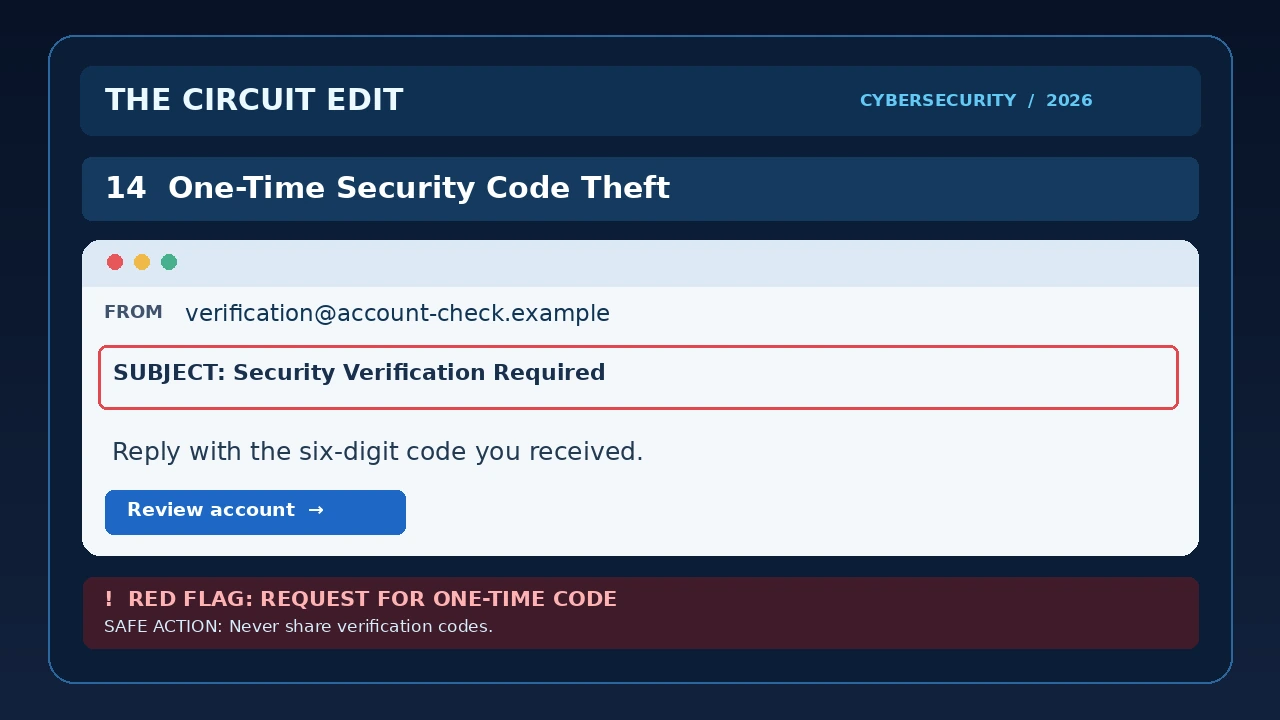
14. Fake Security Verification Code Request
Read the simulated email text
Subject: Security Verification Required
From: Account Protection <support@account-check.example>
We are confirming your account ownership following a suspicious login attempt.
Please reply with the six-digit verification code you just received so we can secure your account.
Review Account
Warning signs: Someone unexpectedly asks you to disclose a one-time authentication code.
Why it works: A message claiming to protect your account may disguise an attempt to gain access to it.
What to do: Never share an unsolicited verification code. Open the genuine service independently, review account activity, and contact official support if needed.
15. AI-Written Vendor Invoice and Bank Account Fraud

Read the simulated email text
Subject: Updated Invoice and Payment Instructions
From: Vendor Billing <invoices@vendor-billing.example>
Hello,
We have updated our banking details for the upcoming invoice payment. Please use the new account information for your next transfer.
Review Account
Best regards,
Vendor Billing Team
Warning signs: A request to change payment instructions, especially when it arrives unexpectedly or shortly before a payment is due.
Why it works: Professionally written business messages can appear routine. AI-assisted writing may make a fraudulent request sound polished, but polished language does not establish authenticity.
What to do: Confirm any change of bank details by calling the vendor using a previously verified phone number. Follow a documented approval process before transferring funds.
How to Recognize Phishing Emails: A Practical Checklist
Use this checklist before responding to an unexpected message.
- Inspect the sender: Check the actual email address, not only the displayed name.
- Question urgency: Be cautious of threats involving account closure, lost payments, or immediate deadlines.
- Verify links: Avoid unexpected sign-in links. Open the service independently.
- Protect passwords: Never submit credentials through an unverified page.
- Protect security codes: Do not share one-time authentication codes with someone contacting you unexpectedly.
- Check attachments: Unexpected files can be risky even when the message looks professional.
- Confirm payment changes: Independently verify requests to change bank details or transfer money.
- Use trusted channels: Contact the organization through its official website, app, or a previously verified phone number.
- Report suspicious messages: Use your email provider’s phishing-reporting feature or your organization’s security process.
Extra protection: Where available, use passkeys or phishing-resistant security keys for important accounts. Standard multi-factor authentication helps, but a code can still be stolen if you enter it on a fake site. Learn why from NIST.
Phishing Warning Signs Comparison Table
| Warning Sign | Example | Safer Response |
|---|---|---|
| Artificial urgency | “Verify your account within 30 minutes.” | Open the official service independently. |
| Unexpected payment | “Pay $2.95 to release your package.” | Check tracking on the carrier’s website. |
| Unfamiliar login link | “Sign in to view your document.” | Use your known workplace or document platform. |
| Financial account change | “Use our new bank account.” | Call the supplier using a previously verified number. |
| Authority impersonation | “The CEO needs gift cards immediately.” | Confirm through an established company channel. |
| Security code request | “Reply with your six-digit code.” | Never share an unsolicited verification code. |
| Unexpected attachment | “Open this confidential invoice.” | Confirm the file with the sender independently. |
Remember: No single clue proves an email is fraudulent or legitimate. The safest approach is to verify unexpected requests independently.
AI-Generated Phishing Emails in 2026
Artificial intelligence is changing how convincing phishing emails can appear. Generative AI tools can help attackers produce fluent messages, adapt their wording for different audiences, and imitate familiar business communication styles.
Important distinction: A flawless message is not proof of legitimacy, and awkward wording is not proof of fraud. The meaningful test is whether the request and its destination are independently verifiable.
That means traditional warning signs such as spelling mistakes and awkward grammar are no longer dependable indicators.
How AI Can Make Phishing More Convincing
- More natural writing: Messages may contain professional grammar and polished formatting.
- Personalized context: Attackers may reference a job title, organization, purchase, or colleague.
- Multilingual messages: Fraudulent emails may be written fluently in multiple languages.
- Business impersonation: Payment requests may resemble ordinary workplace communication.
- Rapid variation: Attackers may generate many versions of a deceptive message.
How to Defend Against AI-Assisted Phishing
Focus less on whether the writing looks professional and more on what the message asks you to do.
Unexpected requests to transfer money, disclose credentials, approve sign-ins, or change banking information should always be independently verified.
For organizations, documented approval procedures for financial changes and sensitive account actions provide an important additional safeguard.
Across the 15 constructed examples, the strongest common pattern was not bad grammar or a strange logo. It was an attempt to move the reader from a normal workflow into an unverified action: signing in through a supplied link, sharing a code, sending documents, or changing a payment route. This is an observation about our educational scenarios, not a statistical finding about real attacks.
What to Do If You Clicked a Phishing Link
If You Opened a Suspicious Website
Close the page and do not enter any information. Opening a website does not automatically mean your account has been compromised, but unexpected downloads or suspicious device behavior deserve further investigation.
If You Entered Your Password
Visit the genuine service independently, change your password immediately, and review active sessions. Sign out of unfamiliar sessions where supported. Change the password on other accounts if you reused it.
If You Shared a Verification Code
Treat the account as potentially compromised. Secure it immediately and contact the service provider using its official support channels.
If You Shared Banking or Payment Information
Contact your bank or card issuer promptly through a trusted phone number. Ask about fraud protection, account monitoring, and whether any transactions need to be disputed.
If You Downloaded or Opened a Suspicious Attachment
Run appropriate security checks. If the device belongs to your employer, notify your IT or security team. Seek professional assistance if you suspect malicious software was installed.
Where to Report Phishing
In the United States, consumers can report suspected fraud through the Federal Trade Commission’s ReportFraud website.
The FTC also provides guidance on forwarding suspected phishing messages to reportphishing@apwg.org.
If identity theft is suspected, visit IdentityTheft.gov.
In Canada, report suspected fraud to the Canadian Anti-Fraud Centre. Victims should also consider contacting their financial institution and local police. Readers in other countries should use their national reporting channels.
Interactive Phishing Awareness Quiz
Quiz rule: Select one response per question. Your first answer is locked, so the final score reflects your initial choices. Use Try Again for a fresh attempt.
Test your ability to recognize suspicious messages with this five-question security challenge.
Can You Spot a Phishing Scam?
Five quick questions. Learn to recognize suspicious messages before they fool you.
YOUR PHISHING AWARENESS RESULT
0 / 5
Frequently Asked Questions About Phishing Emails
What is a phishing email?
A phishing email is a deceptive message intended to trick someone into revealing sensitive information, sending money, opening malicious content, or granting unauthorized account access.
Can phishing emails come from real-looking addresses?
Yes. Display names can be misleading, and compromised legitimate accounts may also be used to send fraudulent messages. A familiar sender address is not sufficient proof of safety.
Do phishing emails always contain spelling mistakes?
No. Many phishing messages are professionally written. AI-assisted drafting can make deceptive emails sound more natural.
Is it safe to click a suspicious link just to check it?
It is safer to avoid using the link as a verification method. Navigate to the genuine website or app independently instead.
What is spear phishing?
Spear phishing is a targeted form of phishing tailored to a specific individual, role, or organization. The message may use familiar names or contextual details to increase credibility.
What is business email compromise?
Business email compromise is a type of fraud involving deceptive or compromised business communications, often used to redirect payments or obtain sensitive information.
Can multifactor authentication prevent every phishing attack?
No. Multifactor authentication adds valuable protection, but attackers may attempt to steal one-time codes or manipulate users into approving sign-in requests. Phishing-resistant methods such as passkeys and security keys can provide stronger protection where supported.
What should I do with a suspicious email?
Avoid clicking its links or opening attachments. Verify any unexpected request independently, report the message through your email provider or organization’s security process, and delete it when appropriate.
Final Takeaway: Verify Before You Trust
The most convincing phishing emails do not necessarily look suspicious at first glance. They may use familiar logos, realistic account notifications, professional language, and details that appear personally relevant.
Whether the message claims to come from a bank, delivery company, colleague, retailer, or government agency, the essential defense is the same: pause, inspect the request, and verify it independently before acting.
Learning to recognize these 15 phishing email examples can help you respond more confidently to suspicious messages and reduce the risk of account theft, financial fraud, and data exposure.
Sources and Editorial Method
The 15 examples in this article are fictional educational scenarios rather than verified incident screenshots. The independently linked statistics are drawn from official public reports for 2025; FBI internet-crime complaints, Canadian phishing reports, and Canadian spear-phishing financial losses measure different things. The examples do not imply that any named brand or organization was compromised.
- Federal Trade Commission — How To Recognize and Avoid Phishing Scams
- FTC — Protect Yourself From Phishing Scams
- CISA — Secure Our World Resources
- FTC — Phishing Scams Can Be Hard to Spot
- NIST — Phishing Resistance and Authenticators
- CISA — Phishing Tip Sheet (PDF)
- FBI — 2025 IC3 Annual Internet Crime Report press release (April 2026)
- Canadian Anti-Fraud Centre — Top 10 Frauds in 2025
Editorial update: October 2026. Published by The Circuit Edit. This article provides general cybersecurity education and does not replace professional incident-response assistance.
[…] to Check If a Website Is Legit — 10 Checks →Phishing Email Examples — What to Watch For → THE BOTTOM […]